
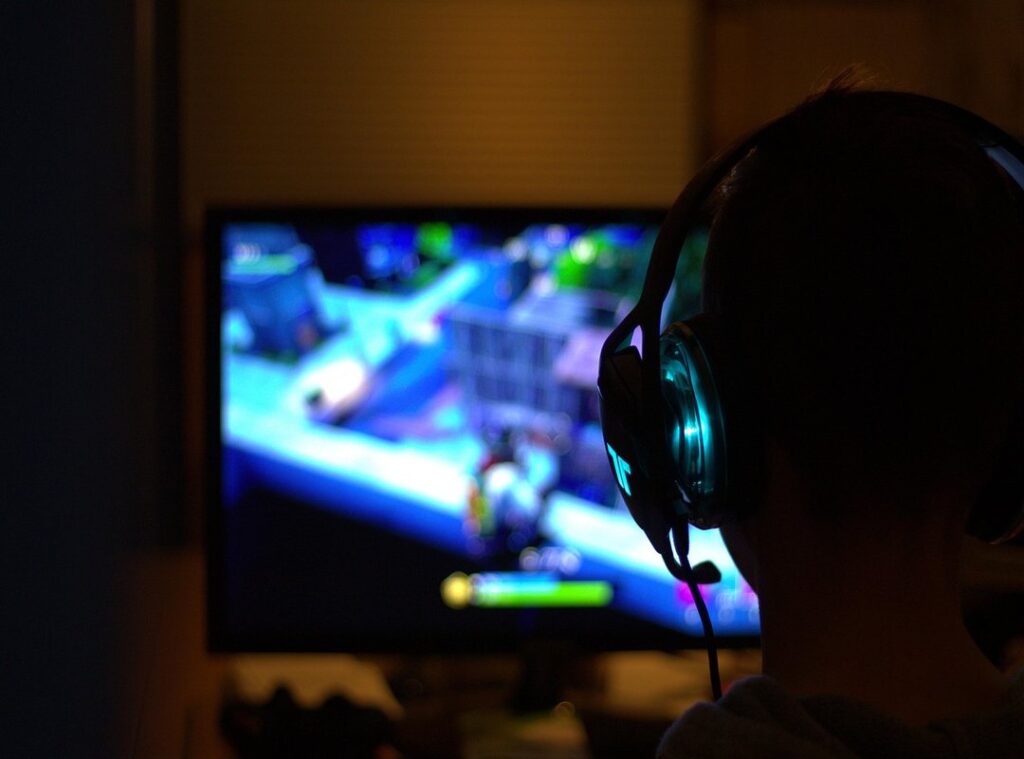
Your gaming setup feels off, doesn’t it? Maybe your chair isn’t comfortable or your monitor isn’t positioned right. I get it.
A great setup can make a huge difference in your game.
I’ve spent countless hours tinkering with mine, and I want to share what I’ve learned. Let’s talk about gaming setup optimization.
This isn’t just about flashy lights and cool gadgets. It’s about creating an environment where you can thrive. You want to perform your best and enjoy every moment.
I’ll cover practical tips you can apply today. You’ll learn how to arrange your space, choose the right gear, and make small tweaks that pack a punch.
Trust me, these adjustments can transform your gaming experience. This article dives deep into the essentials you need to know.
Let’s level up together and get your setup to where it needs to be. You’re in for a treat!
Gaming Setup Tweaks: Unleashing Peak Performance
Let’s break down this whole “gaming configuration enhancement” thing. It’s not just about cramming your rig with high-end hardware. It’s about the art of fine-tuning every piece of your setup, from software and drivers to settings and peripherals, for that perfect harmony.
Why bother, you ask? Because it’s all about squeezing out maximum FPS, slashing input lag, and keeping visuals crispy. You want stability too, right?
A smooth, immersive experience doesn’t just happen by itself.
Think of it like tuning your favorite hot rod. Every tweak counts. You wouldn’t hit the road without a proper tune-up, so why game without optimizing your setup? to the essentials: OS tweaks, driver management, in-game settings, network optimization, and peripheral setup.
Each has its role in gaming setup optimization.
And if you’re still wondering how to get started, this guide can help. It’s packed with tech aids better performance tricks you might not even know you need. Pro tip: start with the basics, then refine.
Sometimes I’m not sure of the best settings either, and that’s okay. We’re all learning as we go.
Game On: Improve Your System
You want to squeeze every drop of performance out of your gaming rig, right? Start with your operating system. Hit up Windows settings. Game Mode is a must.
Flip it on. It’ll prioritize your games over everything else. Background apps?
Kill ’em. They’re just freeloaders eating up your RAM.
Let’s talk drivers. They’re the unsung heroes. Without up-to-date GPU drivers (I see you, NVIDIA and AMD), your games might run like molasses.
Same goes for chipset and audio drivers. Always download directly from the manufacturer. Trust me, stability and performance need that.
Checking current versions? Easy. Go to Device Manager.
Right-click, properties, check the version. Then hit the manufacturer’s site for the latest.
Ever heard of bloatware? It’s those unnecessary pre-installed apps that slow you down. Get rid of them.
Your system will thank you. It’s like shedding dead weight before a race.
This whole process is gaming setup optimization at its finest. You wouldn’t drive a car with flat tires, so don’t game on a system with outdated settings. Ready to level up your gaming experience?
These tweaks will have you flying through levels like Sonic on speed shoes.
Dialing In: Mastering In-Game Graphics and Performance
Ever stared at a settings menu, feeling like you’re deciphering a secret code? You’re not alone. Let’s break it down.
Resolution? It’s all about clarity. Higher means sharper images, but also a bigger hit to your FPS (frames per second).
Texture quality and shadow quality give depth, but crank them up and watch your performance dip. Anti-aliasing smooths out those annoying jagged edges. But again.
Performance trade-off.
View distance? See more of your surroundings in open-world games. It’s useful, but it can tank your FPS.
So, what’s the game plan? High FPS is important for competitive shooters. But in a story-driven game, visuals might win out.
Always check this detailed guide for specifics on game optimization.
Demystifying sync tech: V-Sync eliminates tearing, but might introduce lag. G-Sync and FreeSync keep things smooth without the lag. They’re a godsend if you have the right monitor.
Pro tip: dig into community forums for tweaks; gamers love sharing hacks. Balancing visuals and performance can be a game-changer for your gaming setup optimization.
Ready to tweak those settings? Dive into your next gaming session with confidence.
Smooth Play: Lag-Free Adventures Await
Let’s be real. Gaming setup optimization starts with a solid connection. Ever tried playing on Wi-Fi?

It’s like asking for lag. I always go for a wired Ethernet. If you can’t, at least switch to the 5GHz band.
Clear those channels like a pro. Router settings matter too. Quality of Service (QoS) settings can prioritize gaming traffic, making sure your game doesn’t stutter when it matters most.
Port forwarding? It sounds fancy, but it’s gold for specific games.
Now, input lag is a sneaky beast. It can ruin your game. Fast monitor response times and high mouse/keyboard polling rates are your friends here.
Oh, and kill those background processes that hog your resources.
Don’t underestimate sound. Optimizing audio settings isn’t just for audiophiles; it’s tactical. Virtual surround sound can nail positional audio, giving you that competitive edge.
It’s like having eyes in the back of your head.
In the end, a smooth gaming experience isn’t just about the tech. It’s about feeling in control, connected, and immersed. Speaking of immersion, ever thought about how nutrition tips for gamers can boost gameplay?
Fuel your body like you do your rig.
Keepin’ It Fresh: Advanced Tweaks and Ongoing Maintenance
Thinking about gaming setup optimization? Overclocking your CPU or GPU can give you an edge, but it’s not for the faint-hearted. Start small.
Monitor temperatures like a hawk to avoid frying your rig. You’re playing with fire, literally.
Tools matter. You need software to keep track of FPS, CPU/GPU temperatures, and resource usage. They’re your best bet to spot bottlenecks before they trip you up.
Maintenance is your friend. Regular driver updates, disk cleanups, and managing startup programs can save your system from thermal throttling. It’s not glamourous, but neither is losing a game because of a sluggish setup.
Ever hit a lag spike? That could be your system gasping for air.
Experimentation is your playground. Make one tweak, then test it. Use benchmarks and real-world gameplay to find your sweet spot.
There’s nothing like the thrill of personal discovery when you finally hit that perfect setup.
You ever try something and it just clicks? That’s the magic moment. Gaming is about more than just playing.
It’s about pushing boundaries (and sometimes your hardware). But always remember: start small, stay cool, and keep testing.
Level Up Your Game Today
You’ve got the tools and knowledge now. No more frustration with a system that doesn’t shine.
It’s all about gaming setup optimization. Every tweak matters. Your components can work together for the performance you crave.
Dive in and start experimenting. Find the configurations that make your gameplay smoother and more immersive.
Share your wins and challenges with others. We’re all in this together, pushing for better gaming experiences.
So what are you waiting for? Take action now. Transform your setup.
Your epic gaming adventure is just around the corner. Get started today!