
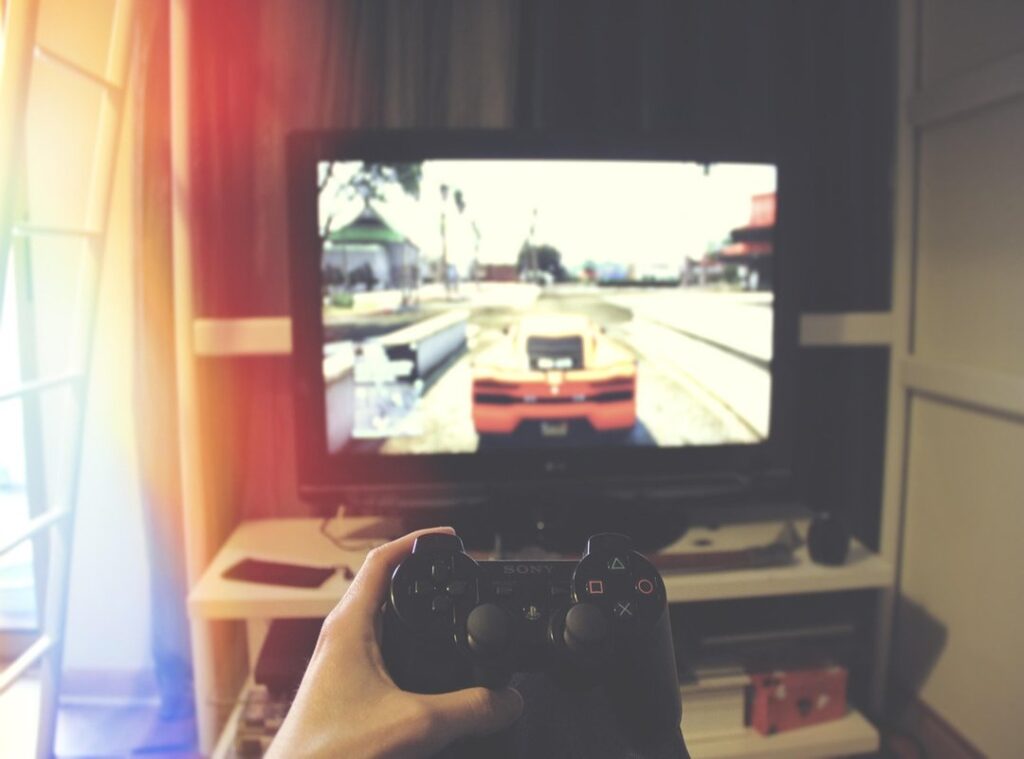
Do you want to improve gaming reflexes? You’re not alone. Many players struggle with reaction times, and it can make or break your game.
I’ve been there, feeling like I’m always a step behind my opponents.
This article dives into practical techniques that can help you sharpen those reflexes. I’ll share takeaways from my own experience and advice that’s worked for others.
We’ll cover everything from physical exercises to mental strategies that boost your performance. Want tips that actually make a difference? You’ll find them here.
Gaming isn’t just about plan; it’s about split-second decisions.
Are you ready to take your skills to the next level? This isn’t just talk. These methods have been tested and proven effective.
Stick with me and let’s explore how you can become a quicker, more agile player. Your gaming journey is about to get a serious upgrade.
The Latency Chain: Unraveling Gaming Delays
Let’s talk about latency. It’s a game-changer (literally) when it comes to how we experience gaming. Ever clicked your mouse only to watch your character react like it’s had one too many energy drinks?
That’s the latency chain at work.
First, input lag. It’s the delay from your peripherals. Whether you’re pressing a key or clicking a mouse, it’s that sneaky pause before your action registers.
Then comes system latency. Your PC processes your input, and this is where things can really slow down. Especially if your hardware’s not up to par.
Network latency is the next hurdle. You’ve seen it as “ping.” It’s the time taken for data to travel from your device to the game server and back. Those precious milliseconds can make a difference (your digital life hangs in the balance).
Finally, monitor response time dictates how quickly pixels on the screen change. A slow response here is like trying to game in quicksand.
To improve gaming reflexes, understanding these components is key. Figuring out bottlenecks lets you boost overall performance. Check out Mindset Shifts Better Gaming for more takeaways on optimizing your game plan.
Hardware Hacks: Speed Up Your Game
If you’re serious about gaming, let’s talk hardware. You want lightning-fast input and display? Start with your monitor.
High refresh rates (144Hz+) and low response times (1ms GTG) make all the difference. They smooth out visual fluidity and cut down on ghosting. Ever noticed how some games look choppy?
That’s your display holding you back.
Now, the mouse. Go for a lightweight model with a top-notch sensor. Adjustable DPI/CPI and a high polling rate (1000Hz) are key for precise tracking.
It feels more like an extension of your hand than just a tool. And trust me, it matters.
Keyboards? Mechanical all the way. Linear or tactile switches offer faster actuation.
Wired connections beat wireless every time for reliability. Nothing worse than lag when you’re in the zone.
Don’t underestimate your network gear either. A stable wired Ethernet connection trumps Wi-Fi. Tweak your router settings (QoS) and make sure your internet speed’s up to snuff.
It’s like upgrading to a sports car from a bicycle.
Finally, power up your CPU and GPU. High frame rates directly improve gaming reflexes. Ever played a game that just lagged at every turn?
That’s your cue to upgrade. You’ll thank me later.
Software Sweet Spots: Optimizing Your Digital Edge
Want to improve gaming reflexes? Let’s talk software settings. First, dive into in-game settings.
Lower those graphics. Shadows, reflections, anti-aliasing. Turn them down.
Disable V-Sync. Sure, you might see some screen tearing, but it’s worth it to cut input lag. Faster reactions, better gameplay.
Now, let’s tweak Windows. Let Game Mode. Set power options to ‘High Performance’.
Why let background apps hog resources? Disable them. And don’t forget a regular disk cleanup.
Keeps your system running smooth as butter.
Drivers are next. GPU, chipset, peripherals (keep) them updated. It’s not just about performance; it’s about fixing bugs too.
Ever felt the sting of a bug mid-game? Updating drivers can save you from that heartbreak.
Bloatware is your enemy. Pre-installed software slows you down. Identify it, uninstall it, breathe easier.
A lean machine runs faster, giving your hardware the room to shine.
Pro tip: Stay consistent. Regular maintenance beats a one-time overhaul any day. Your hardware will perform at its peak without digital interference.
It’s about getting the best out of what you have. Why settle for less when you can have more?
Training Your Reflexes: The Human Element of Gaming
When it comes to gaming, your reflexes and focus are the real game-changers. Sure, state-of-the-art hardware is cool. But let’s get real.

No gear is as important as your own skills. I always tell fellow gamers to train their bodies and minds. You might ask, does aiming matter if your reflexes lag?
Absolutely!
Try online trainers like Kovaak’s or Aim Lab. These tools help improve gaming reflexes with structured drills. They’re like bootcamp for your hands and eyes (minus the shouting drill sergeant).
Don’t overlook the mental game. Peak concentration is key. A good pre-game routine can set the stage.
Mindfulness isn’t just for yoga enthusiasts. It helps during intense matches too. Ever lost focus because of a messy desk?
Minimize distractions for a clean headspace. Trust me, it works.
Now, let’s talk about ergonomics. A good setup is key. Your chair, desk, and monitor should be just right.
It’s not just comfort; it’s plan. Staying physically relaxed means sharper gameplay.
And lifestyle? Key. Sleep, water, and food are like secret weapons.
They speed up reaction time and boost endurance. , your performance boils down to you. Train yourself as fiercely as you level up your avatar.
Advanced Tweaks: Open up Your Gaming Potential
Let’s cut to the chase. To truly improve gaming reflexes, technical adjustments can make a world of difference. Have you checked your BIOS/UEFI settings lately?
Enabling XMP or DOCP profiles can boost your RAM, but don’t forget to disable virtualization if you don’t need it. Those onboard peripherals? Disable the unnecessary ones.
They’re just sucking up resources.
Ever thought about overclocking? It’s not for the faint-hearted. CPU, GPU, and RAM can be pushed for marginal gains, but be warned: stability and heat are real issues.
You don’t want your machine turning into a toaster.
Now, let’s talk networks. You might be missing hidden issues. Run ping tests to servers, identify packet loss, and monitor network traffic.
It’s like detective work for your internet. Trust me, you don’t want lag sniping your headshots.
Monitors can be sneaky too. Make sure yours is running at the advertised refresh rate. Check your display settings.
Wrong input source? Happens more often than you’d think.
And then, the classics: outdated drivers, conflicting software, incorrect game settings. We often overlook these, but they can ruin your experience. For more takeaways into analyzing gameplay skill growth, dive deeper and get your skills on point.
Level Up Your Game Today
You now have the tools to improve gaming reflexes. That frustrating feeling of slow reactions? It’s in your control to change it.
True responsiveness comes from aligning great hardware, fast software, and your own performance.
Start implementing these tips. Focus on consistency. Don’t wait; the sooner you act, the quicker your progress.
Join a community of passionate gamers. Share your wins and learn from others. Keep leveling up your skills.
Your gaming journey is just beginning. Embrace it. Let’s transform your game together.
Ready to take that leap? Start now!